On an independent trip through Italy, you'll mostly travel between cities by train, and Italy's rail network is run by essentially two companies: the state railway (Trenitalia — link here) and the private railway (Italo — link here) — those really are the only two. If your itinerary is set, I recommend booking early through the websites (not the app) to grab early-bird fares. I booked two months in advance myself and saved quite a bit compared with same-day prices.
When booking, I opened both websites and entered the same origin, destination and dates on each, then bought whichever was cheaper. It's also worth comparing coach classes to see if a small upgrade is worth the money, while your choice of fare class should depend on how fixed your plans are and how much risk you can accept. After booking you'll receive an email with the ticket attached, showing the train number, seat, date and time. Print it out on paper — when it's time to travel, just walk into the station, board, and find your seat. No validation needed; when the conductor comes to check, simply show them the printout. Large luggage is allowed on board and there are storage racks, but I recommend locking your bags to the rack or lifting them onto the overhead shelf so pickpockets can't simply walk off with them — someone should keep an eye on the luggage at all times, as far too many people have lost bags on Italian trains.
A special note for the Naples–Sorrento leg: some travelers stop at Pompeii along the way. For that stretch you need to buy tickets in person at Naples station for the Circumvesuviana railway, run by the EAV company. It's a railway unique to southern Italy, so it won't show up on the Trenitalia or Italo websites — just find the ticket counter after you arrive at Naples station.
Italy's Two Major Railway Companies
This guide covers booking on a computer with the two railway companies, Trenitalia (state railway) and Italo (private railway). I like planning my independent trips on a computer before departure, so I never ended up using the apps for booking.
First, here are the key station names for each city to make booking easier. On a first trip to Italy, these are the stations where you'll get off more than 95% of the time.
| City | Main station | Italian name |
| Rome | Rome Termini Station | Roma Termini (Rome) |
| Naples | Naples Central Station | Napoli Centrale (Naples) |
| Sorrento | Sorrento Station | Sorrento |
| Florence | Florence Santa Maria Novella Station | Firenze Santa Maria Novella (Florence) |
| Pisa | Pisa Central Station | Pisa Centrale |
| Venice | Venice Mestre Station (mainland) Venice Santa Lucia Station (main island) | Venezia Mestre Venezia S.Lucia (Venice) |
| Milan | Milan Central Station | Milano Centrale (Milan) |
Trenitalia (State Railway) Booking Steps
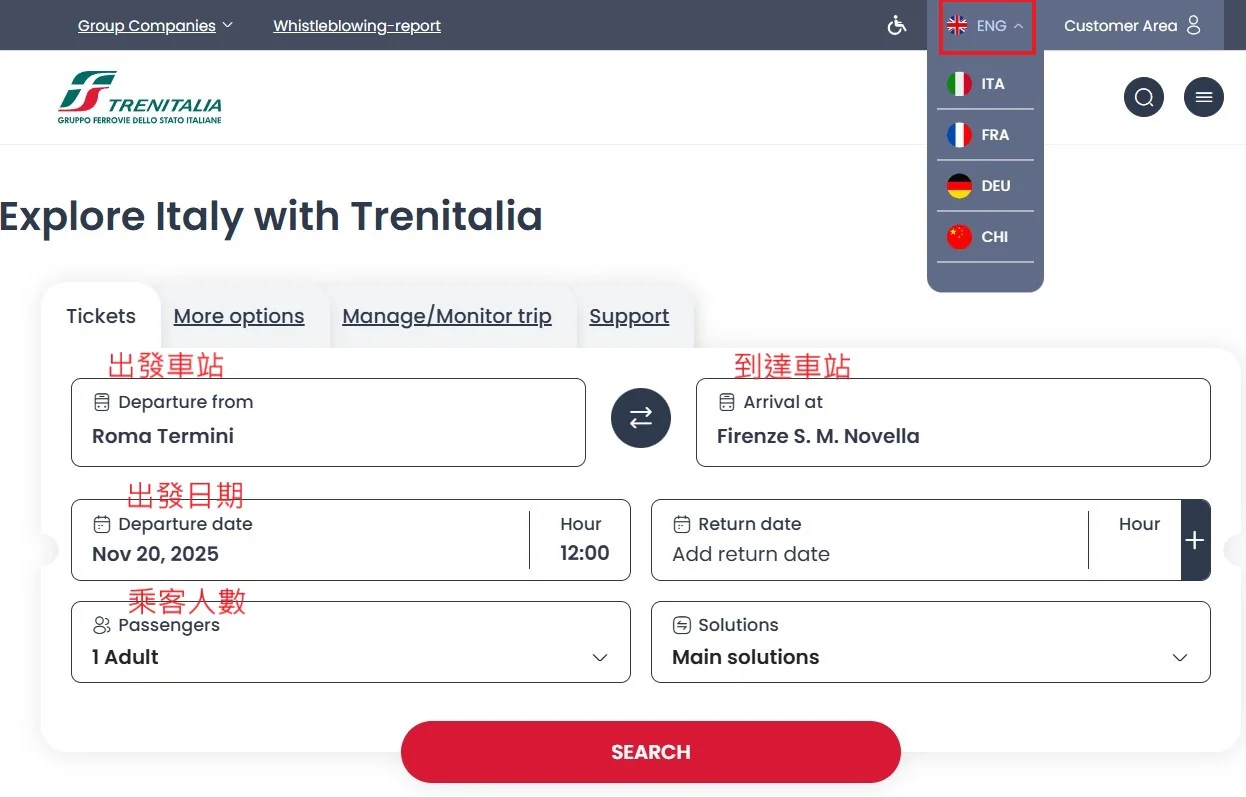
(1) Go to the Trenitalia website and select stations/date/passengers
Go to the Trenitalia website, first switch to the English version (ENG), then use the station names above to fill in your departure station, arrival station, travel date, and number of passengers.
(2) Choose departure time/journey time/fare
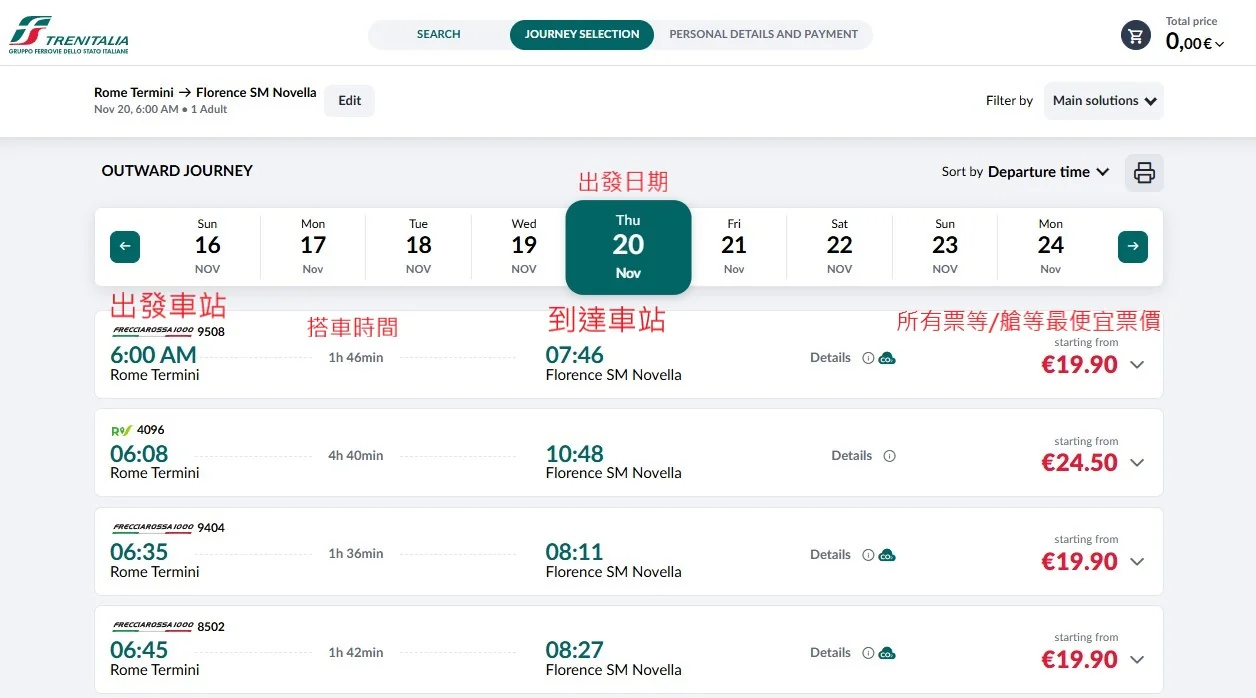
Weigh up the departure time, arrival time, journey length and fare. Remember to click the dropdown next to the price to see more details on fare classes and coach classes.
(3) Choose fare class/coach class
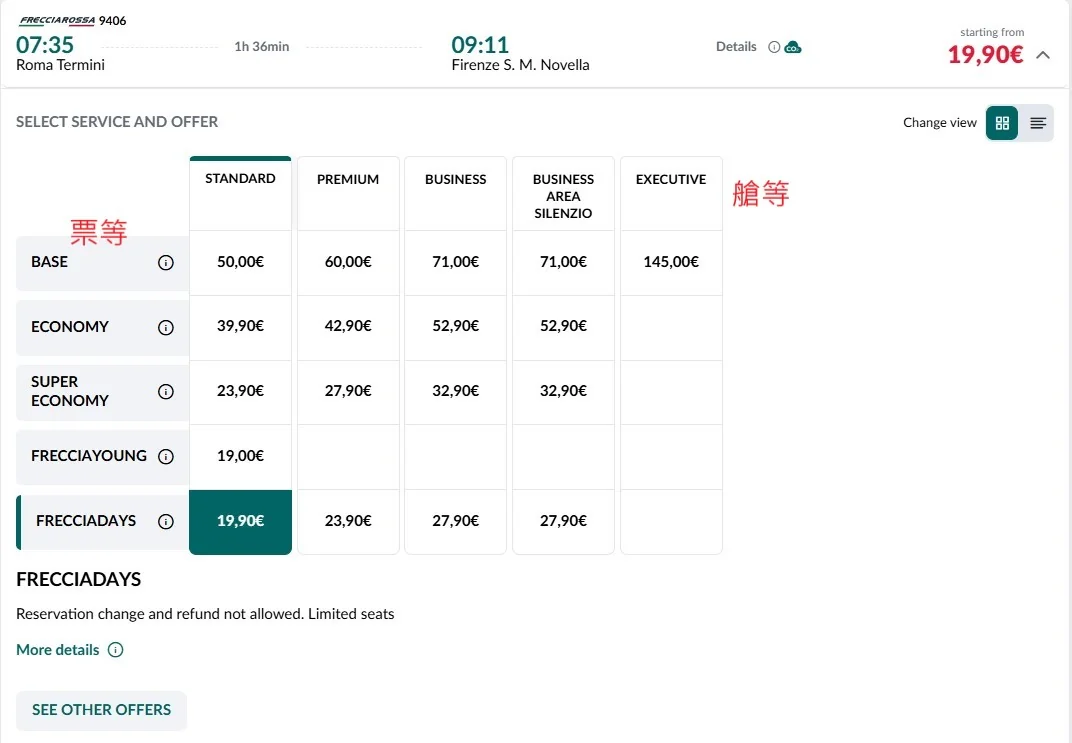
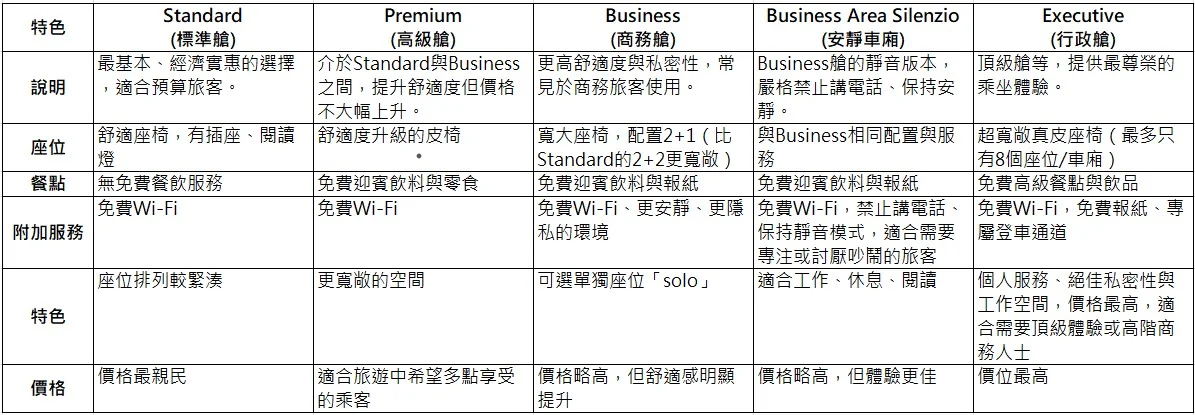
There are five fare classes and five coach classes. For coach classes, the more you pay the fancier the seat — pricier classes may mean more legroom, nicer seats, or complimentary snacks.
As for fare classes, there are five as well. The cheaper the fare, the more restrictive it usually is — typically no refunds and no changes. Since my whole itinerary was already locked in, I always went for the cheapest fare (FRECCIADAYS), and it was a real bargain — cheaper than Taiwan's TRA, believe it or not.
(4) Understand the fare/coach class differences
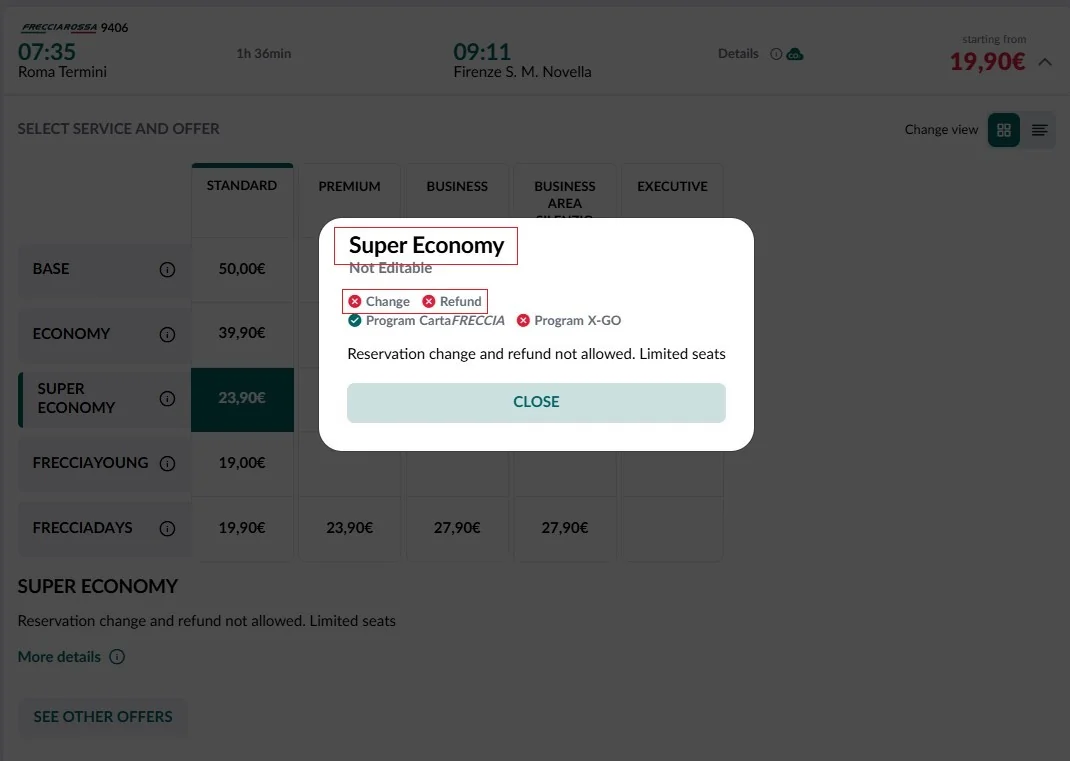
For fare details, click the (i) icon. You'll see that for the Super Economy fare, both Change and Refund are marked with an X — meaning no changes and no refunds. Use this as a reference when booking, and double-check your itinerary first.
(5) Decide whether to upgrade
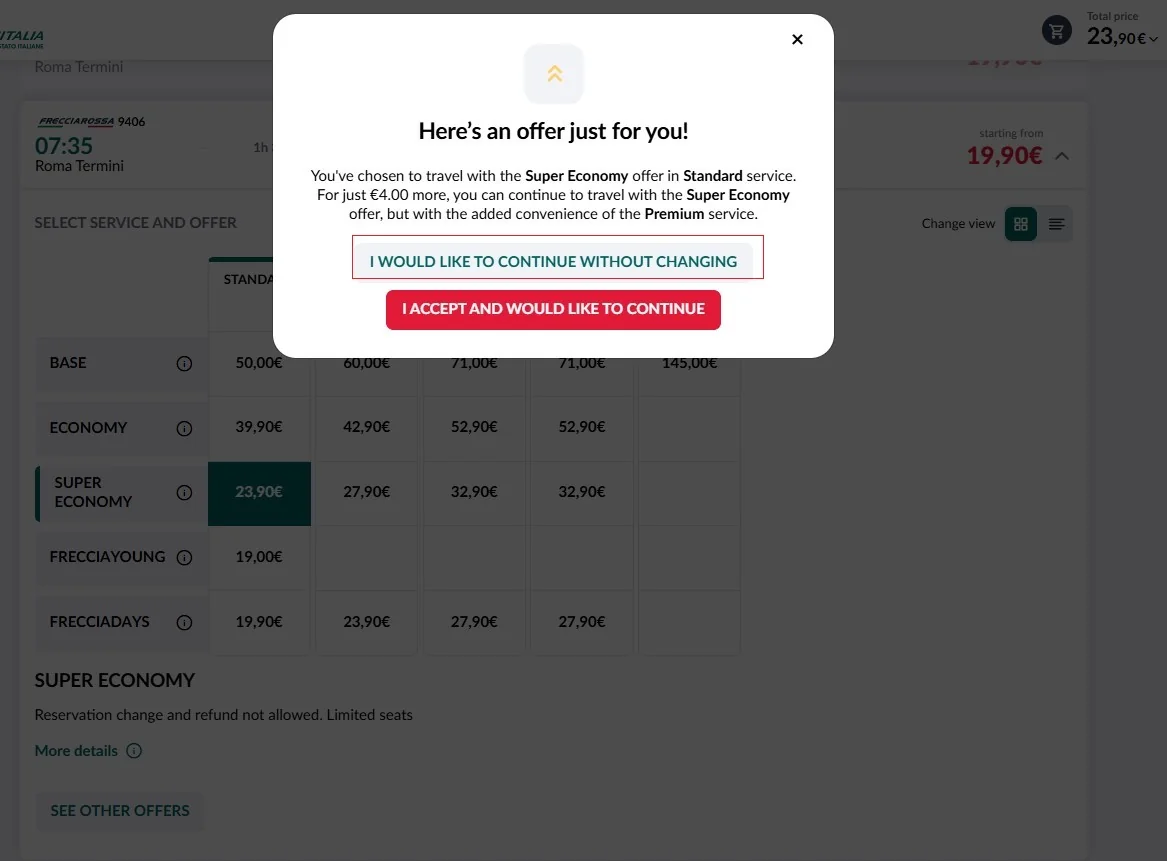
After you pick your ticket and confirm, the site will ask one more time whether you want to upgrade (for an extra charge). Click the non-highlighted option at the top to keep your original choice and continue with the booking.
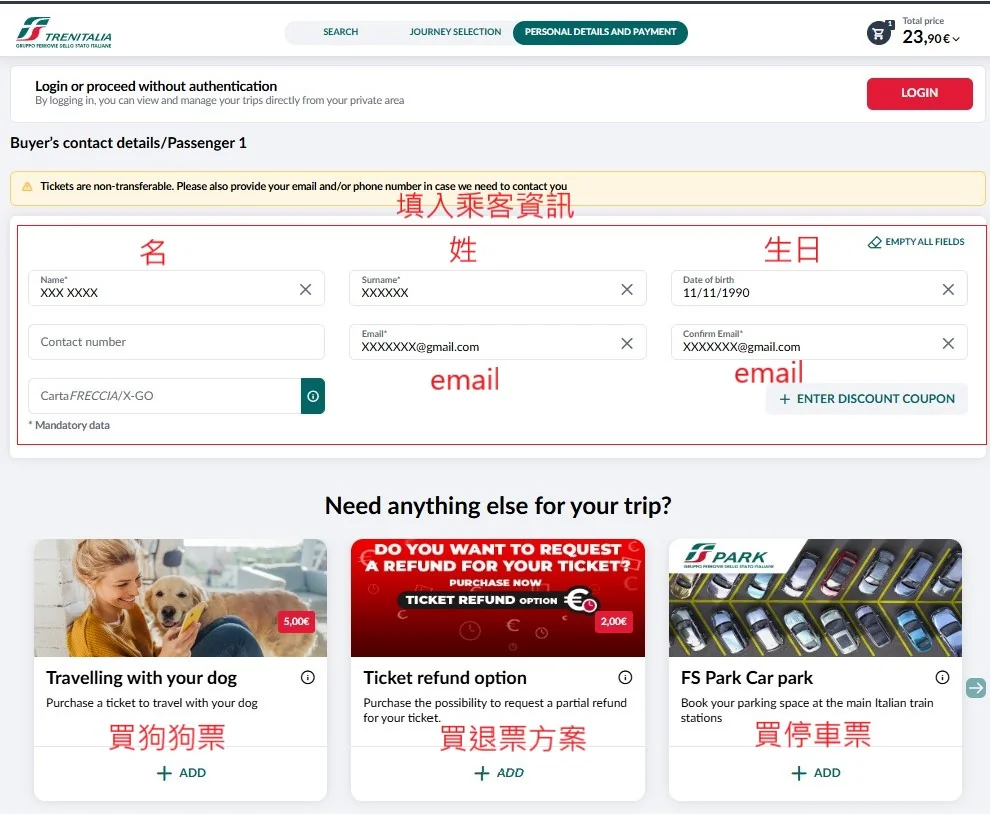
(6) Enter passenger name/date of birth/email
The email you enter here is extremely important — double-check it, because your ticket will be sent to this inbox, and fixing a typo afterwards would probably be a real hassle.
Below that are some paid add-ons — you can ignore them all unless you genuinely need them.
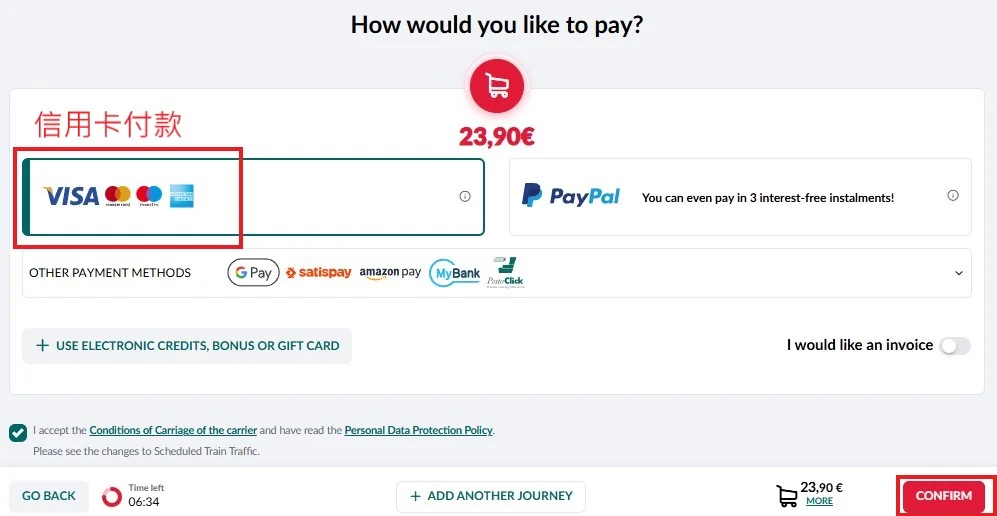
(7) Choose credit card payment
Select credit card as your payment method, then click COMFIRM.
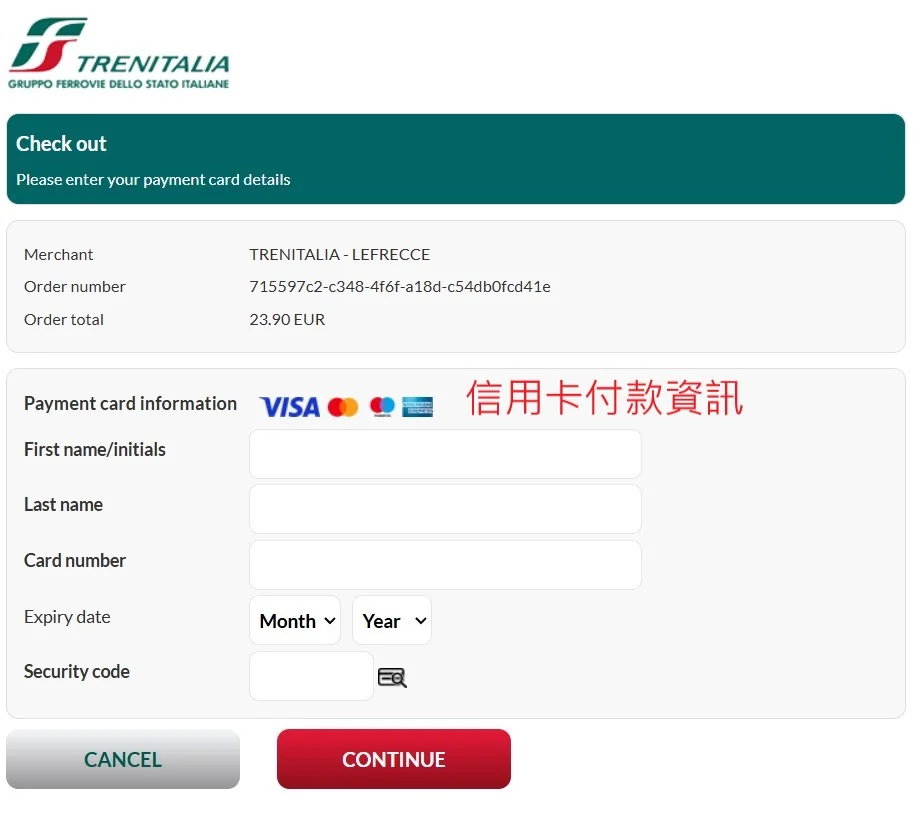
(8) Enter your credit card details
Enter your credit card payment details and click CONTINUE — that completes the payment and booking process, and the ticket will be sent to your registered email.
(8) After payment, tickets are sent to your registered email
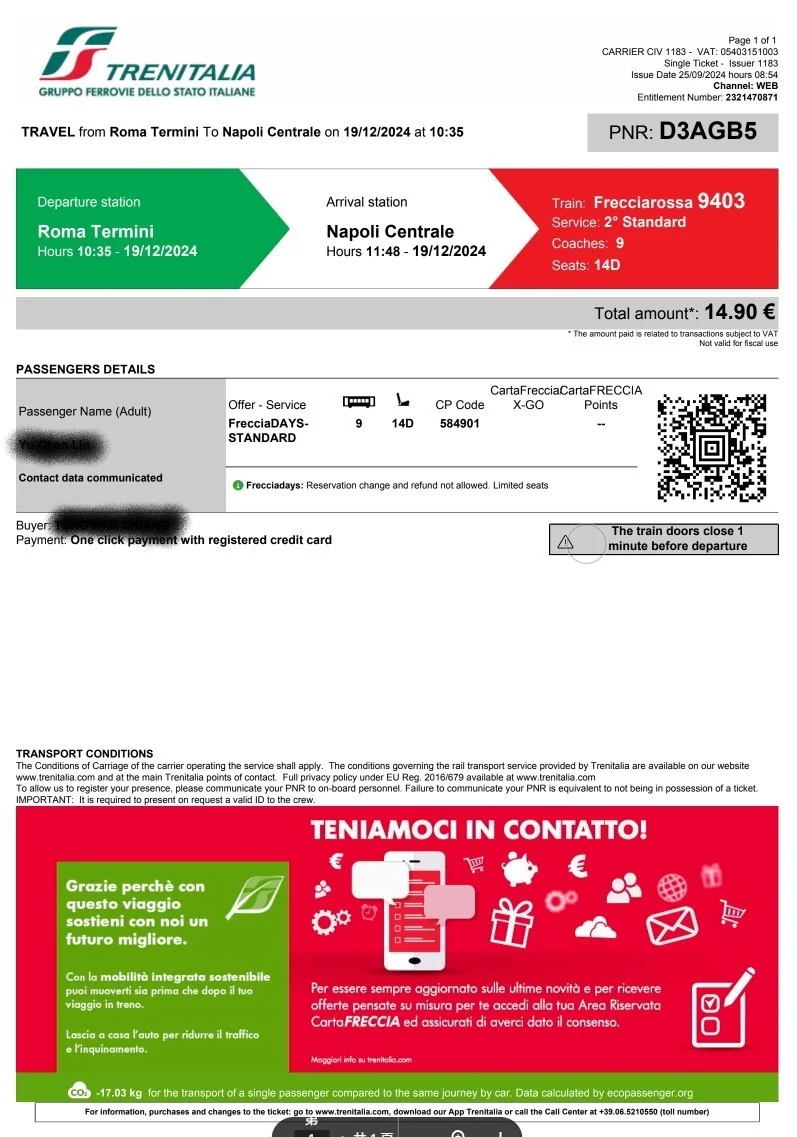
It may take a little while between completing payment and receiving the email — usually it arrives immediately, but sometimes you'll wait a bit. Remember to print out the PDF and bring it on board; the conductor will usually come around to check tickets once.
Italo (Private Railway) Booking Steps
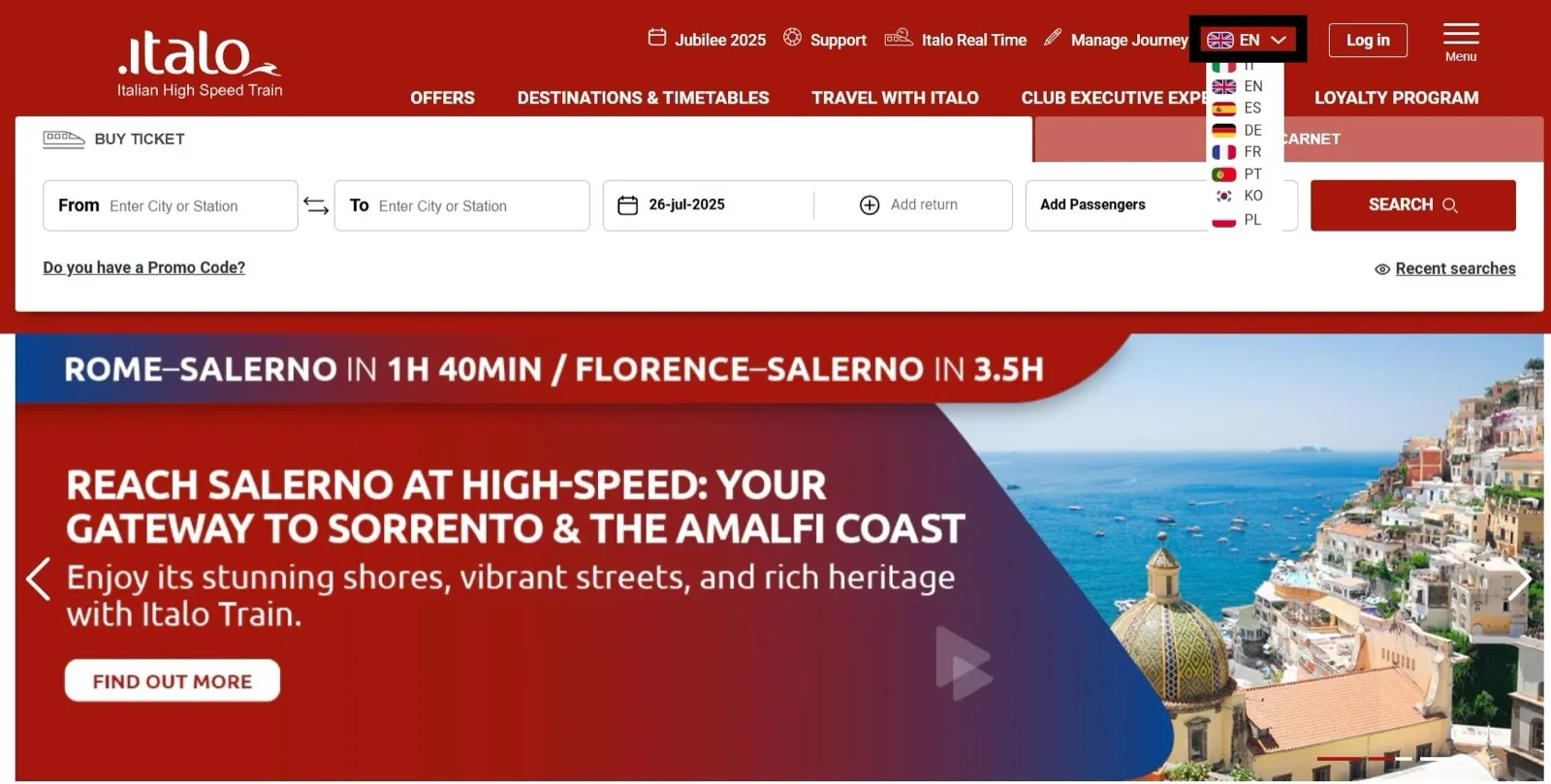
(1) Go to the Italo homepage
First go to the Italo homepage and, likewise, switch to the English interface (EN).
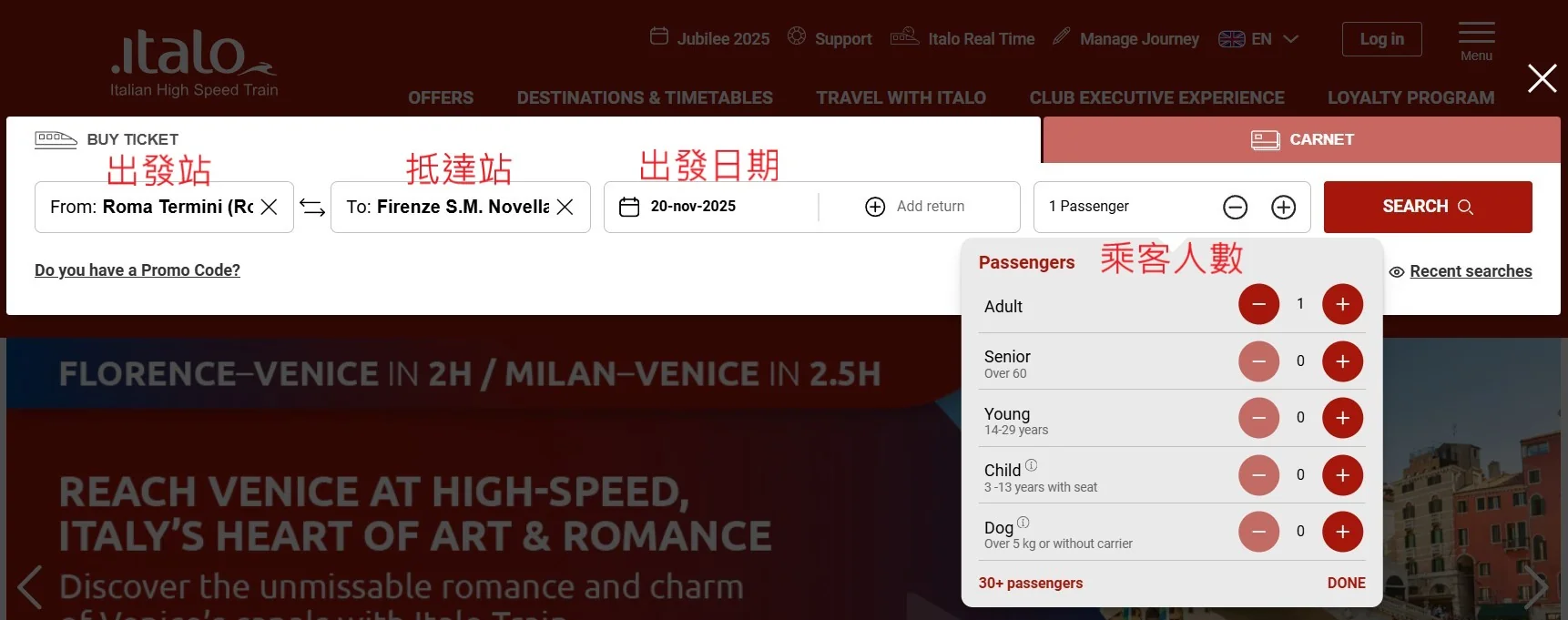
(2) Select stations/date/passengers
Select your departure station, arrival station, travel date and number of passengers, then click SEARCH.
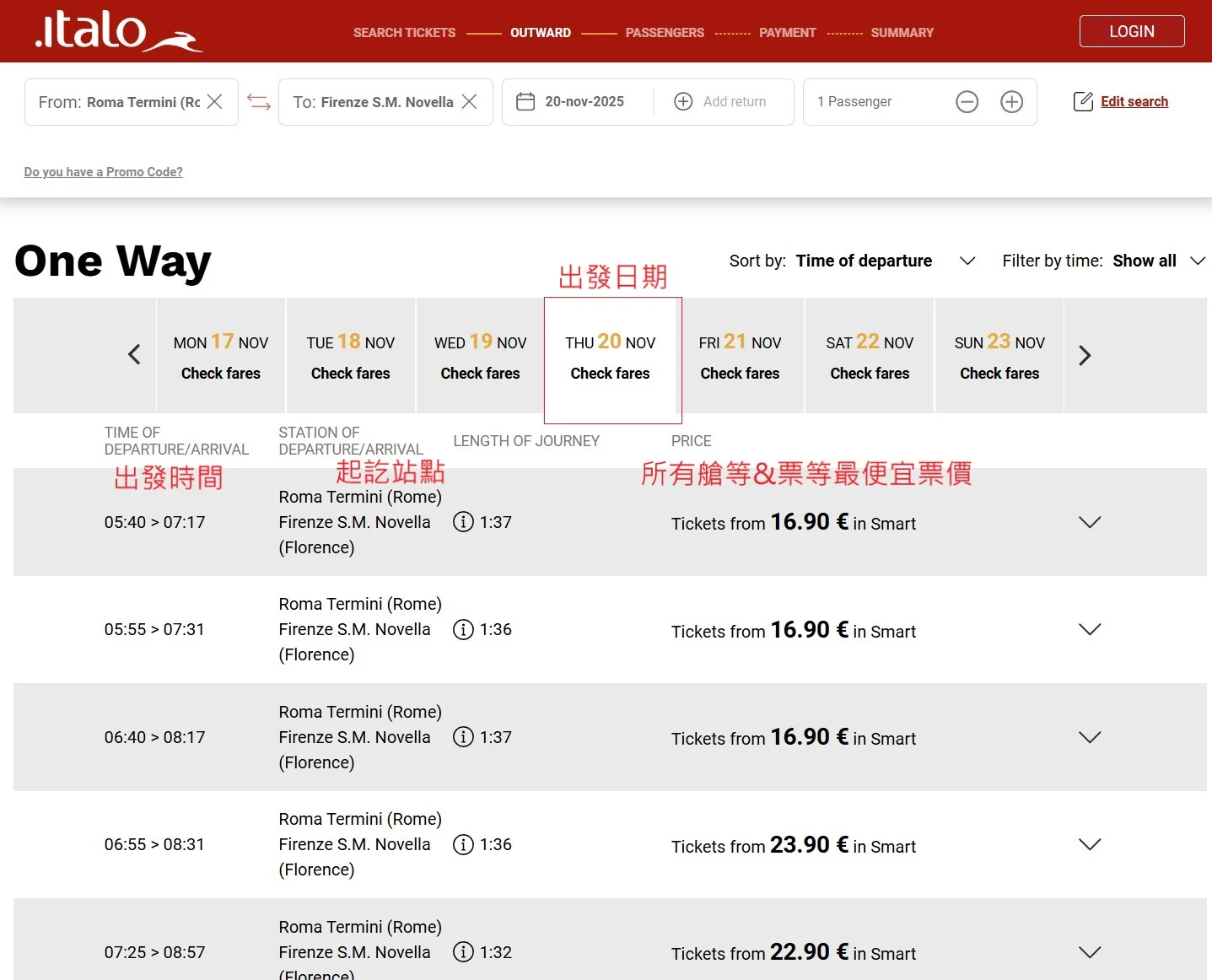
(3) Choose departure and arrival times/journey time/fare
Choose your departure and arrival times and stations, then decide whether you're happy with the fare — if not, see whether a different date works better.
(4) Choose coach class/fare class
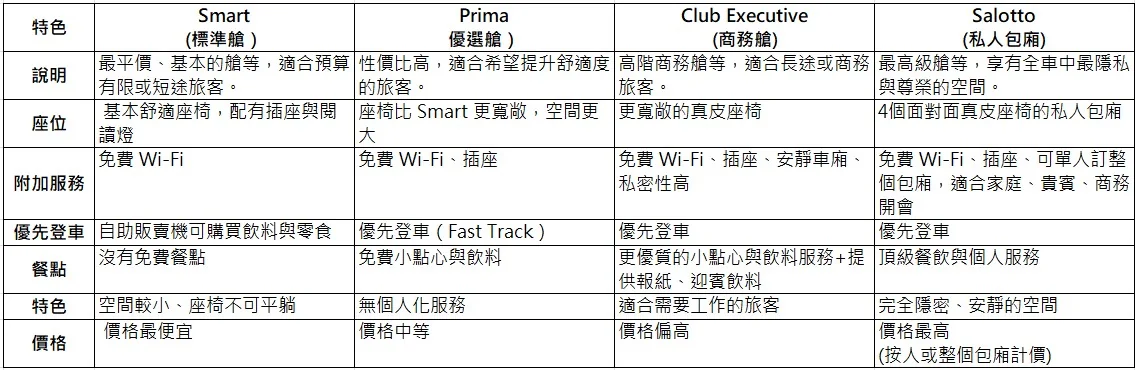
Coach and fare classes work the same way as with Trenitalia — weigh up your budget, schedule and how fixed your itinerary is before booking. Smart is the standard class; the premium Prima class comes with free drinks and snacks; and business-class Club Executive and the first-class private lounge compartment Salotto both include access to the station lounge.
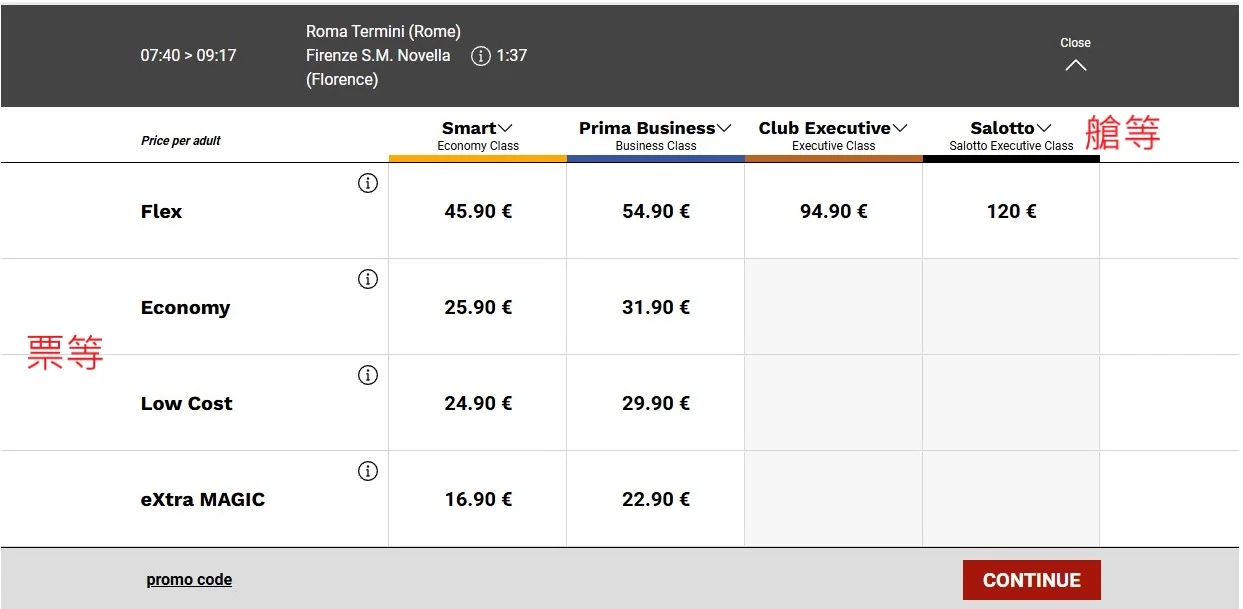
(5) Understand the fare/coach class differences
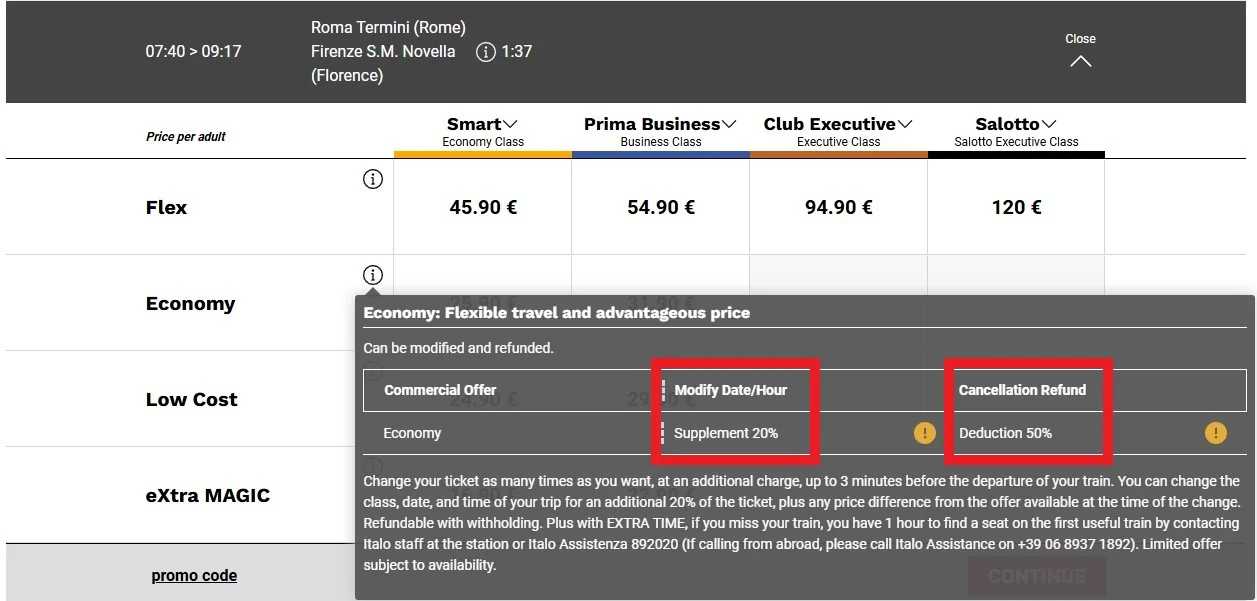
You can also click (i) to see the fare differences. For example, with this Economy fare, changing the date or time costs 20% of the fare and cancelling for a refund costs 50% — in other words, partial refunds are possible, which is worth considering if your plans aren't entirely certain.
(6) Choose fare class/coach class
Choose your coach class/fare class and click CONTINUE.
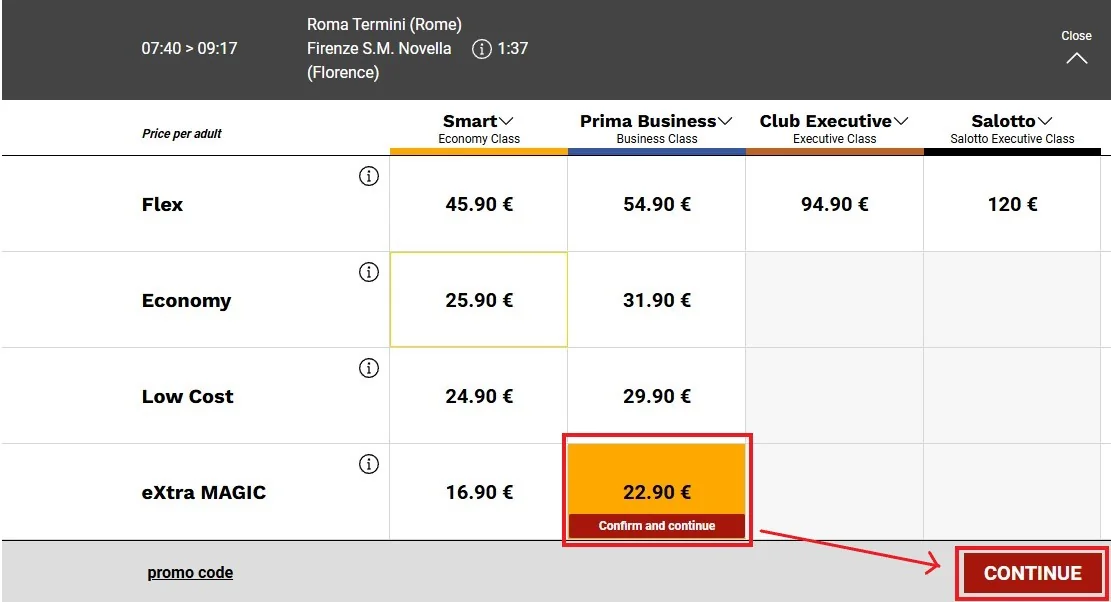
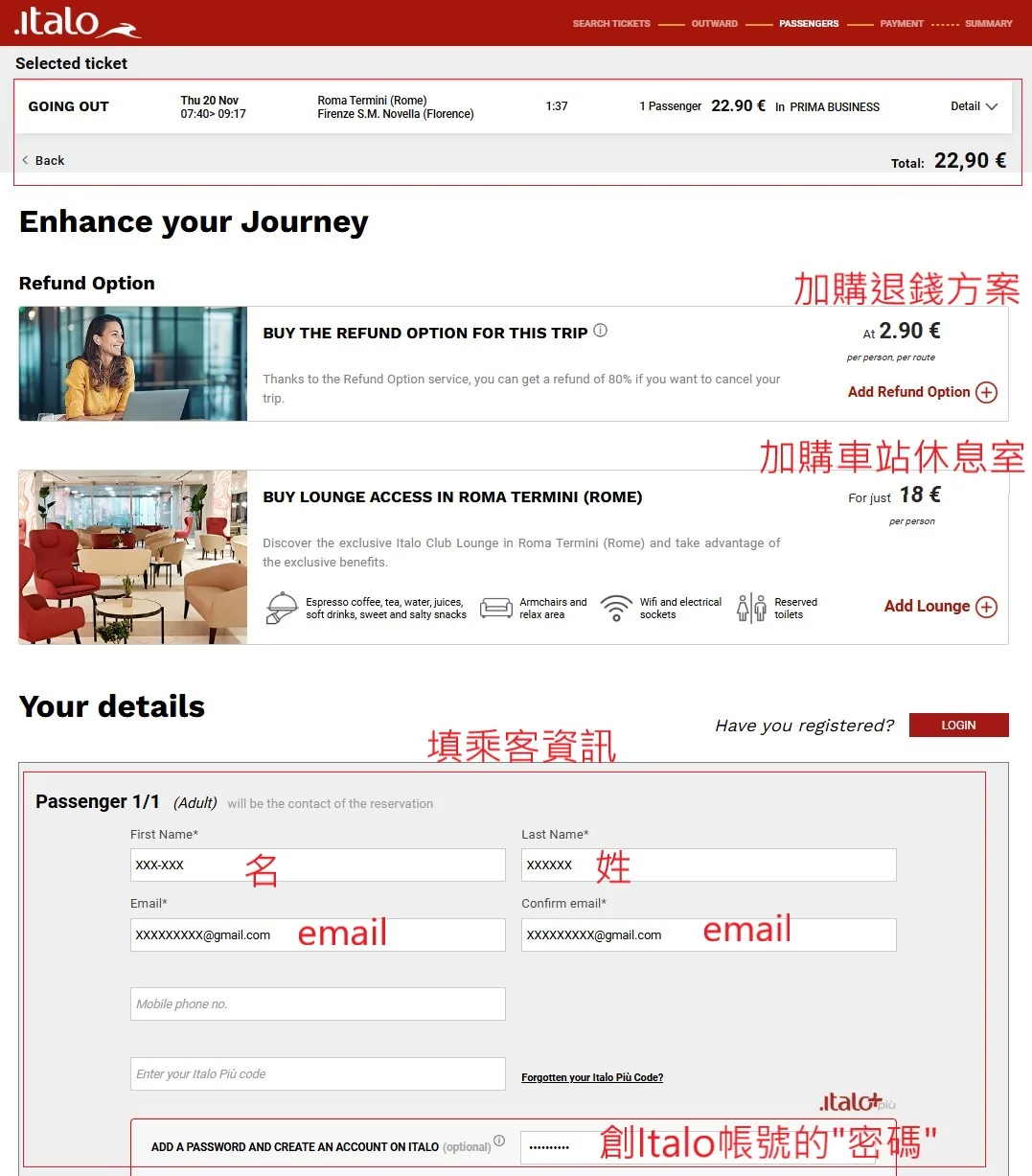
(7) Fill in passenger details/review add-on options
Next, check that the ticket details are correct and decide whether to add any extras. The refund add-on costs €2.9 and lets you get back 80% of the fare if you later cancel — worth considering for pricier tickets on less certain plans.
Also fill in the passenger name and email (make sure the email is correct!). If you'd like to join as an Italo member, you can set a password to create an account — the benefit is being able to log in and see the tickets you've bought. Without an account it's a one-off purchase and there's no way to log in and look up your tickets later. I created an account myself; a trip abroad doesn't come around often, so it's worth being thorough.
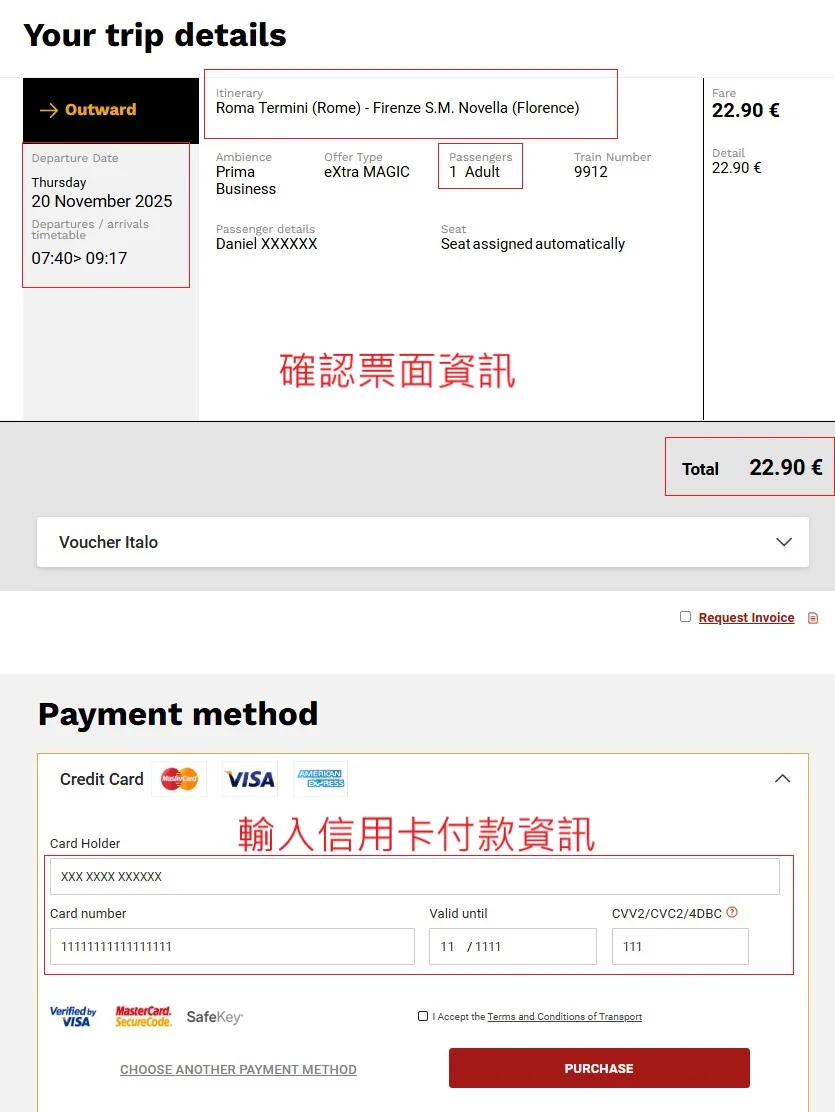
(8) Double-check ticket details before checkout
If you're buying the cheapest fare, check every detail carefully — once you buy it, there are no refunds! Enter your credit card details and click Purchase to complete the process. You'll receive the PDF ticket by email; remember to print a paper copy and bring it on board in case of inspection.
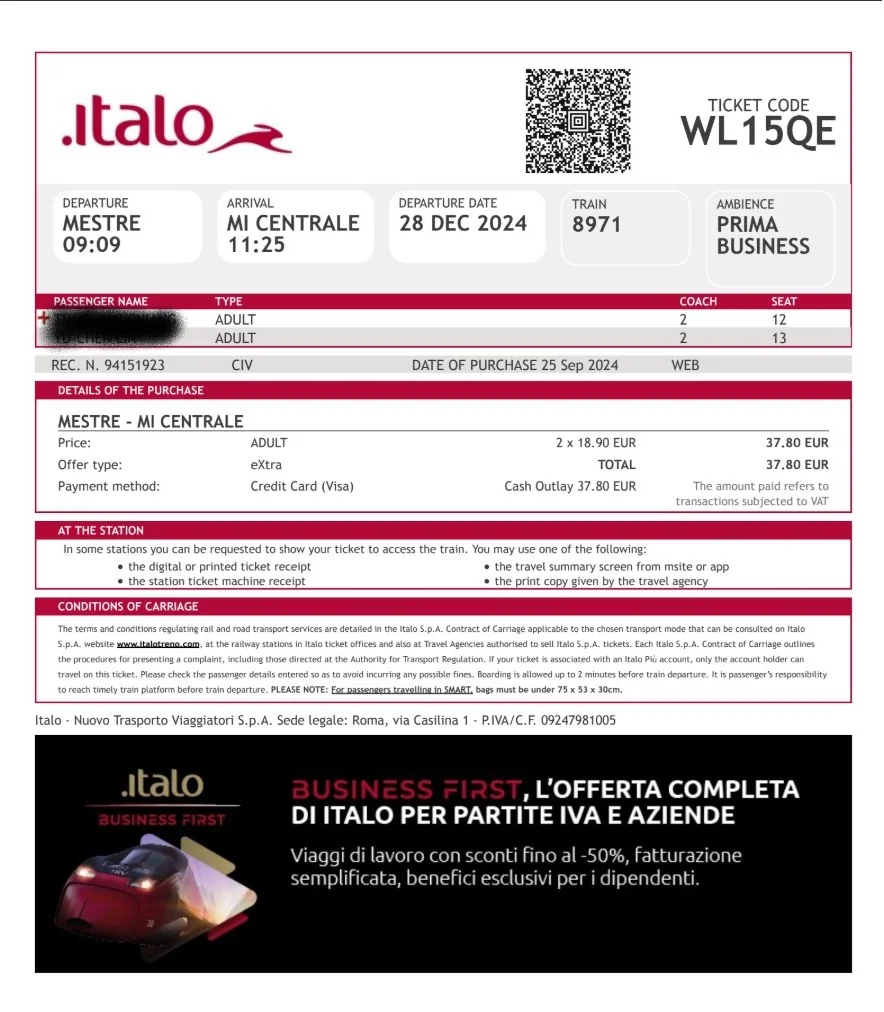
(9) Fill in passenger details/review add-on options
Below is the PDF ticket you'll receive by email — remember to print a paper copy and bring it on board in case of inspection.
If you're interested in traveling Italy independently, check out my Italy (Chinese) category and my two other popular posts!
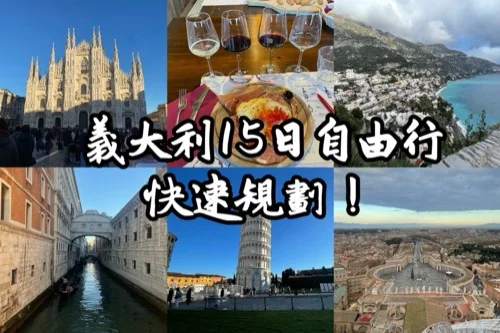
Italy 15-Day Itinerary: Plan Your Trip Quickly and Easily! (Chinese)
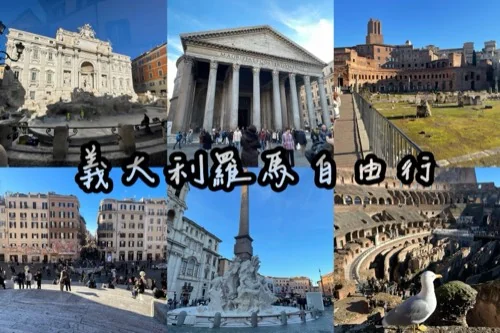
Rome Independent Travel: 2-Day Itinerary, Must-See Sights and Must-Eat Restaurants (Chinese)
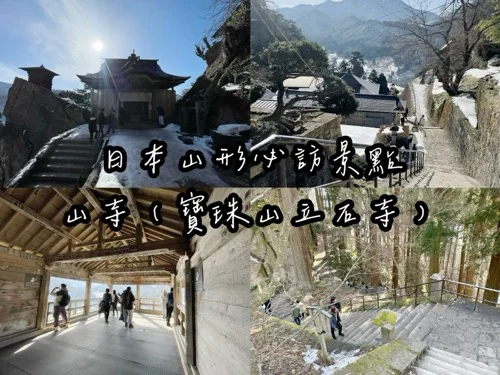
- Is Yamadera Temple in Yamagata, Japan Worth Visiting? Transportation, Climbing Time and Travel Tips (Chinese)
- W Hotel Macao Studio City Review: Room and Facility Highlights from a Real Stay (Chinese)
- Zao Onsen Travel Guide: Snow Monsters, Skiing, Hot Springs and Great Food (Chinese)
- Kaohsiung Grand Hotel Buffet: All-You-Can-Eat Seafood and Carved-to-Order Steak (Chinese)
- Duck Jane (鴨肉珍) in Yancheng, Kaohsiung: Must-Try Duck Rice and Giblet Soup at a Beloved Old Shop (Chinese)